Hey there! I’m a supplier of BMS connectors, and I know how frustrating it can be when you run into issues with these little but crucial components. In this blog, I’m gonna share some tips on how to troubleshoot a BMS connector. BMS Connector
Understanding the Basics of BMS Connectors
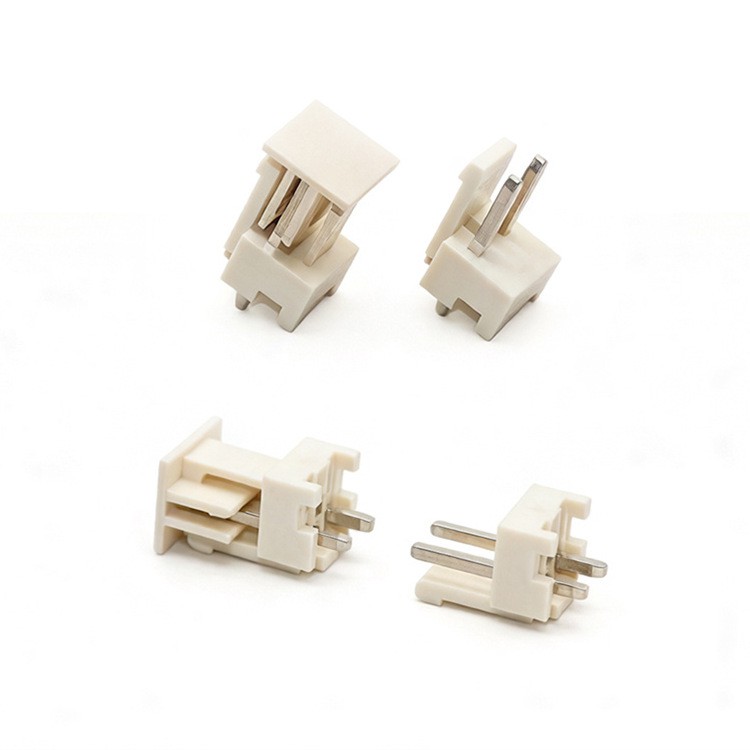
First off, let’s quickly go over what a BMS connector is. A Battery Management System (BMS) connector is a key part in any battery system. It’s responsible for making sure that the BMS can communicate with the battery cells, monitor their status, and manage the charging and discharging processes.
These connectors come in different shapes, sizes, and configurations, depending on the specific requirements of the battery system. Some are designed for high – voltage applications, while others are for low – voltage setups. But no matter what type you’re dealing with, the main goal is to ensure a reliable electrical connection.
Common Issues with BMS Connectors
Loose Connections
One of the most common problems is loose connections. Over time, vibrations, temperature changes, and general wear and tear can cause the connector to become loose. You might notice intermittent power loss or erratic readings on your BMS. To check for loose connections, you can gently wiggle the connector while monitoring the system. If the problem improves or worsens when you move the connector, it’s likely loose.
Corrosion
Corrosion is another big issue. Moisture, dirt, and exposure to certain chemicals can lead to corrosion on the connector pins. This can increase the resistance in the circuit, which in turn can cause the BMS to malfunction. You can usually spot corrosion by looking for a green or brownish substance on the pins.
Damaged Pins
Pins can get damaged during installation or due to physical impact. Bent, broken, or missing pins can disrupt the electrical connection. If you suspect damaged pins, carefully inspect the connector under good lighting. A magnifying glass can be really helpful here.
Troubleshooting Steps
Visual Inspection
The first step in troubleshooting is a thorough visual inspection. Take a good look at the connector from all angles. Check for any signs of damage, like cracks in the housing, bent pins, or corrosion. If you see any obvious problems, you might be able to fix them right away. For example, if a pin is bent, you can try to straighten it gently with a pair of tweezers.
Cleaning
If you find corrosion on the pins, it’s time to clean them. You can use a contact cleaner specifically designed for electrical connectors. Apply the cleaner to a cotton swab and gently rub the pins. Make sure to remove all the corrosion. After cleaning, dry the connector thoroughly before reconnecting it.
Tightening
If the connection is loose, try tightening the connector. Most BMS connectors have screws or clips that can be adjusted. Use the appropriate tool to tighten the fasteners, but be careful not to over – tighten, as this can damage the connector.
Testing
After you’ve made any necessary repairs or adjustments, it’s time to test the connector. You can use a multimeter to check the continuity of the pins. Set the multimeter to the resistance mode and touch the probes to the corresponding pins. If the reading is infinite, there’s a break in the connection. If the reading is within the expected range, the connection is good.
Preventive Measures
To avoid future problems, it’s important to take some preventive measures.
Proper Installation
Make sure that the BMS connector is installed correctly. Follow the manufacturer’s instructions carefully. Use the right tools and torque specifications to ensure a secure connection.
Environmental Protection
Protect the connector from harsh environments. If the battery system is exposed to moisture, dust, or extreme temperatures, consider using a protective cover or enclosure.
Regular Maintenance
Regularly inspect the connector for signs of wear and tear. Perform cleaning and tightening as needed. This can help extend the lifespan of the connector and prevent costly breakdowns.
When to Seek Professional Help
Sometimes, the problem might be too complex to fix on your own. If you’ve tried all the troubleshooting steps and the issue still persists, it’s time to seek professional help. A trained technician can use specialized equipment to diagnose and fix the problem.
Conclusion
Troubleshooting a BMS connector might seem like a daunting task, but with a little knowledge and some basic tools, you can often identify and fix the problem on your own. By following the steps outlined in this blog, you can ensure that your BMS connector is working properly and your battery system is running smoothly.

If you’re in the market for high – quality BMS connectors, we’ve got you covered. Our connectors are designed to meet the highest standards of reliability and performance. Whether you need a connector for a small battery pack or a large – scale energy storage system, we have the right solution for you.
BMS Connector If you’re interested in learning more about our products or have any questions, feel free to reach out to us for a procurement discussion. We’re always happy to help you find the best BMS connector for your needs.
References
- Battery Management System Handbook
- Electrical Connector Installation and Maintenance Guide
Wenzhou JKUN Connector Co., Ltd.
As one of the most professional bms connector manufacturers and suppliers in China, we’re featured by quality products and low price. Please rest assured to wholesale bulk customized bms connector from our factory. For quotation and free sample, contact us now.
Address: No.2667, Ningkang East Road, Yueqing City, Zhejiang Province, China
E-mail: sales@cnjkun.com
WebSite: https://www.jkunjcj.com/
